What’s an API gateway? How it works in backend systems
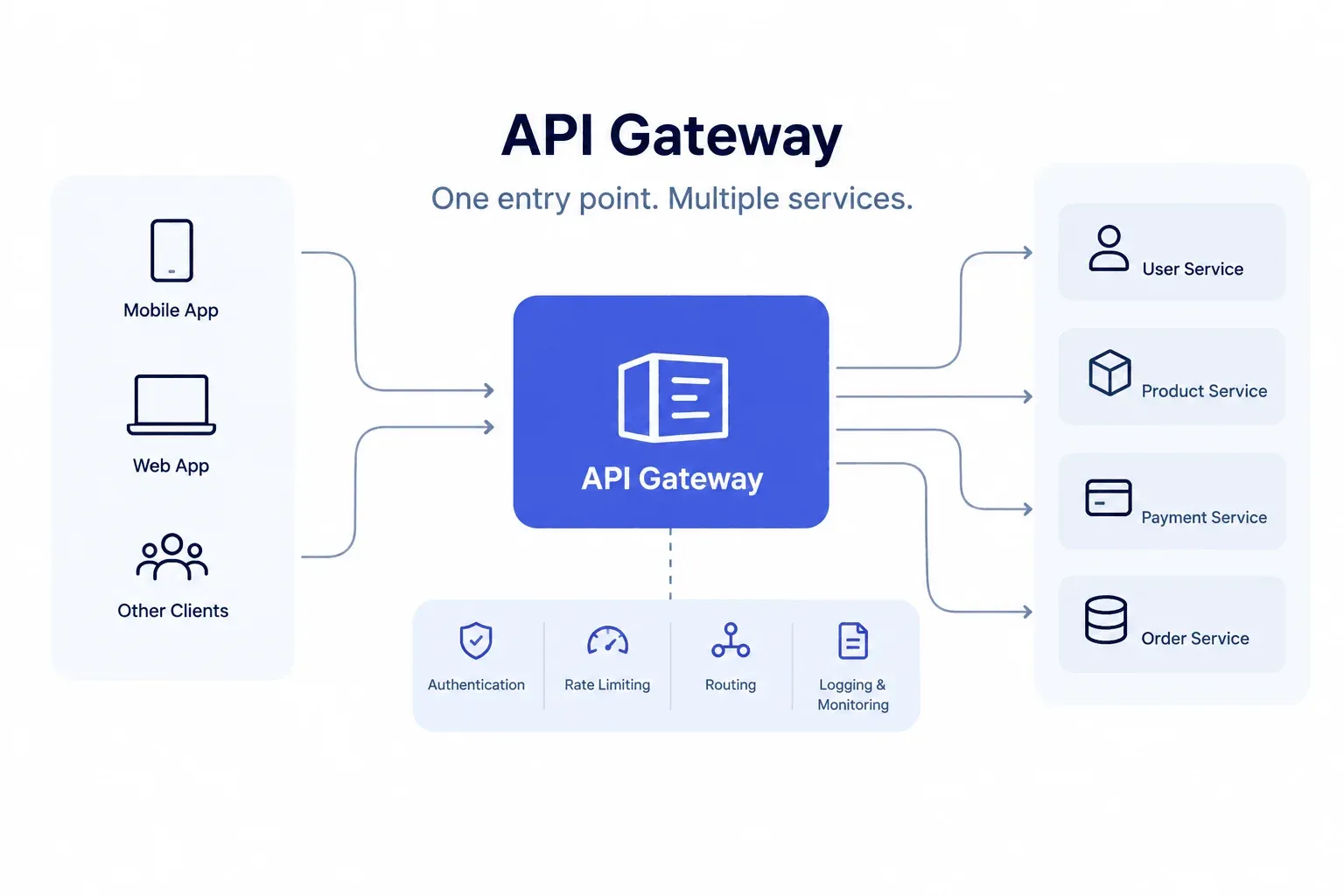
An API gateway is a single entry point that sits in front of your backend services. Every request from a client hits the gateway first, and the gateway decides where it goes.
That’s the short version. Here’s the longer one.
The problem an API gateway solves
Say you run an app with 6 microservices: users, orders, payments, products, notifications and search. The mobile app needs data from 4 of them to render one screen.
Without a gateway, the client calls each service directly. That means 4 URLs, 4 auth flows and 4 different ways for things to fail. Rename one service or move it to a new address, and you’re shipping a new app version.
A gateway gives the client 1 address, something like api.yourapp.com. Everything behind it can move around, scale up or get rewritten, and the client never finds out.
How an API gateway works
The flow is the same in almost every backend architecture. Take a request for GET /orders/123:
- The client sends the request to the gateway.
- The gateway checks who’s asking. It validates a JWT, an API key or an OAuth token.
- It checks the rate limit. Too many requests from the same client, and it returns a 429 right there.
- It matches the path to a service. /orders goes to the orders service, /payments goes to payments.
- The service responds. The gateway can reshape the response, log it, cache it, then pass it back.
The orders service never had to check a token or count requests. The gateway did that before the request got near it.
Here’s what a route plus a rate limit looks like in Kong’s declarative config:
_format_version: "3.0"
services:
- name: orders-service
url: http://orders:3000
routes:
- name: orders-route
paths:
- /orders
plugins:
- name: rate-limiting
service: orders-service
config:
minute: 60
That’s 60 requests per minute on every /orders call, and zero lines of code inside the orders service.
What an API gateway does
- Routing: sends each request to the right service based on path, method or headers.
- Authentication and authorization: verifies tokens once, in one place.
- Rate limiting: stops a single client (or a buggy script) from flooding your backend.
- Caching: returns repeat responses without touching the service at all.
- Request and response transformation: renames fields, strips headers, converts formats.
- Logging and monitoring: every request passes through, so you get one place to see traffic, errors and latency.
- SSL termination: handles HTTPS at the edge so internal services can talk plain HTTP on a private network.
API gateway vs load balancer vs reverse proxy
People mix these up all the time. The three overlap, and plenty of tools do more than one job.
| Tool | What it does |
| Reverse proxy | Forwards client requests to one or more servers. Nginx is the classic example. |
| Load balancer | Spreads traffic across identical copies of the same service. |
| API gateway | Routes to different services and adds API-level rules: auth, per-route limits, transformations. |
A simple way to remember it: a load balancer picks which copy of a service answers. A gateway picks which service answers and whether the caller is allowed to ask.
When you need an API gateway
You probably need one if:
- You run 5 or more services and clients are calling them directly.
- You have a web app, a mobile app and third-party developers all hitting the same backend.
- You sell or share a public API and need keys, quotas and usage numbers.
If you’ve got a single monolith, or 1 to 2 services, skip it. A plain Nginx reverse proxy does the job, and a gateway only adds another hop and another thing to deploy.
Popular API gateways
- Kong: open source, built on Nginx, huge plugin library. Good if you want to self-host.
- AWS API Gateway: fully managed, pairs well with Lambda. You pay per request.
- Apigee: Google Cloud’s option, strong on API analytics and monetization.
- Traefik: popular in Docker and Kubernetes setups because it picks up services automatically.
- Nginx: not a gateway by name, but with the right config it covers routing, rate limiting and caching.
Downsides of an API gateway
It’s a single point of failure. If the gateway goes down, everything behind it goes with it. Run at least 2 instances behind a load balancer.
It adds a network hop. The cost is usually a few milliseconds, and caching often wins that time back.
And it tends to grow. Someone adds a bit of business logic to the gateway “just this once,” then again, and a year later it’s a second backend nobody wants to touch. Keep the gateway for traffic rules. Keep business logic in the services.
Final Words
An API gateway gives backend systems a common point for receiving and managing API requests. It can simplify routing and centralise suitable security and traffic controls while leaving business operations to the services responsible for them.
The key is to introduce a gateway when the application has a clear need for one. Choose its responsibilities carefully, monitor its effect on performance and keep business logic in the appropriate backend services.
For teams building applications with several APIs, a well-designed gateway can make request handling easier to manage as the system grows.