JWT authentication explained: how to secure REST APIs
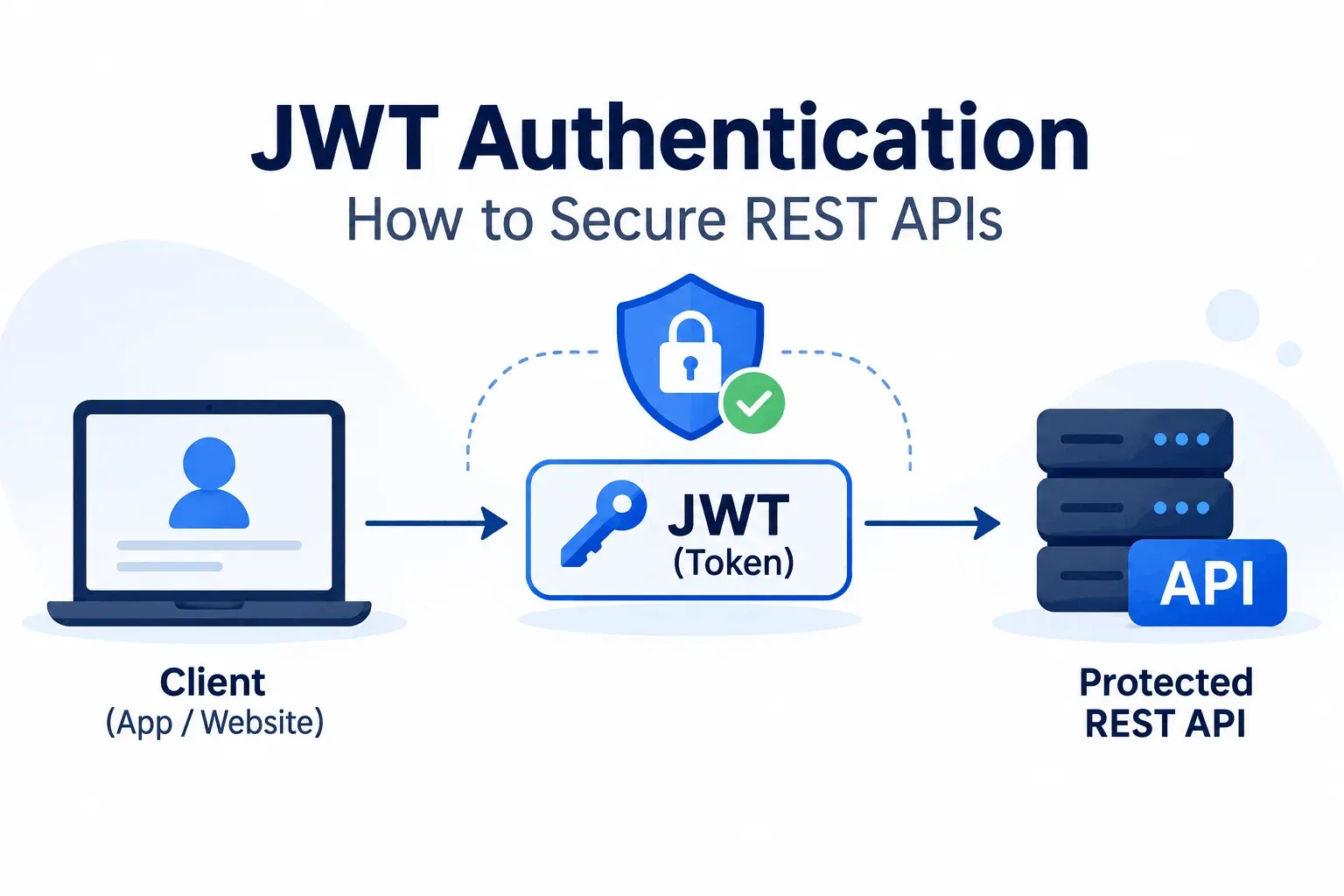
JWT authentication is how a REST API figures out who’s calling without hitting a database on every request. The client holds a signed token. The server checks the signature and gets on with its day.
JWTs get oversold, I think. They solve one problem really well and create a few new ones if you’re sloppy. So here’s how they work, a working Node.js example, and the mistakes I’d check for first.
What a JWT is
JWT stands for JSON Web Token (the spec says to pronounce it “jot”, though most people just say the letters). It’s a string with 3 parts joined by dots:
header.payload.signature
The header names the signing algorithm. The payload carries claims: the user ID and a role, plus an expiry time. The signature is a hash of the first two parts, made with a secret key.
Header and payload are base64url-encoded JSON. Paste a token into jwt.io and you can read all of it, no key required.
So the payload is a postcard. User ID and role go in. Emails and phone numbers stay out.
The signature catches tampering: change 1 character in the payload and verification fails. Nothing hides the contents.
The claims you’ll meet most are sub (user ID), exp (expiry), iat (issued at), iss (who issued it) and aud (who it’s for).
How JWT authentication works
- The client sends an email and password to POST /login over HTTPS.
- The server checks them, signs a JWT and sends it back.
- From then on the client attaches the token to every request: Authorization: Bearer <token>.
- The server verifies the signature and the expiry. No session table, no database call.
- A valid token gets through. An invalid or expired one gets a 401.
Step 4 is the selling point. Any server holding the key can verify a token, so you can run 10 copies of your API behind a load balancer and none of them share session state. With microservices, each service checks the token itself.
JWT authentication in Node.js
Here’s a minimal setup with Express and the jsonwebtoken package:
const jwt = require('jsonwebtoken');
app.post('/login', async (req, res) => {
// verifyCredentials is your own function: look up the user, compare the password hash
const user = await verifyCredentials(req.body.email, req.body.password);
if (!user) return res.status(401).json({ error: 'Invalid credentials' });
const token = jwt.sign(
{ sub: user.id, role: user.role },
process.env.JWT_SECRET,
{ algorithm: 'HS256', expiresIn: '15m' }
);
res.json({ accessToken: token });
});
function auth(req, res, next) {
const header = req.headers.authorization || '';
const token = header.startsWith('Bearer ') ? header.slice(7) : null;
if (!token) return res.status(401).json({ error: 'Missing token' });
try {
req.user = jwt.verify(token, process.env.JWT_SECRET, { algorithms: ['HS256'] });
next();
} catch (err) {
res.status(401).json({ error: 'Invalid or expired token' });
}
}
app.get('/orders', auth, (req, res) => {
res.json({ message: `Orders for user ${req.user.sub}` });
});
Two lines carry most of the weight. expiresIn: '15m' keeps a stolen token from living long, and algorithms: ['HS256'] in verify pins the algorithm.
The secret sits in an environment variable. Hardcode it once and it lives in your git history forever.
Access tokens and refresh tokens
The server remembers nothing about a token, so it can’t cancel one. Someone steals a token that lasts 7 days, and they get 7 days of being you.
The fix is 2 tokens:
- Access token: lives 5 to 15 minutes, goes on every API call, sits in memory on the client.
- Refresh token: lives days or weeks, sits in an httpOnly cookie, with a hashed copy in your database.
When the access token dies, the client calls POST /refresh and the server hands back a new one. Rotate the refresh token on every use. To kill a stolen one, delete its row.
Yes, that puts a database lookup back in the picture. It happens once every 15 minutes instead of on every request.
How to secure a REST API with JWT
- Use HTTPS everywhere. Over plain HTTP, anyone on the same wifi can read the token.
- Keep access tokens short. I’d start at 15 minutes.
- Use a long random secret. For HS256 that means 32 bytes or more, and secret123 gets cracked in minutes.
- Pin the algorithm. In 2015, security researcher Tim McLean showed that several JWT libraries would accept a token whose header said alg: none, meaning no signature at all. Pinning the algorithm in verify shuts that door.
- Check the claims. Verify exp, iss and aud along with the signature.
- Put refresh tokens in httpOnly, Secure, SameSite cookies. localStorage is readable by any script on the page, so a single XSS hole hands over the token.
- Keep the payload small. A user ID and a role cover most apps.
JWT vs session authentication
| Sessions | JWT | |
| Where state lives | On the server (memory, Redis or a database) | Inside the token, on the client |
| Scaling | Needs a shared session store | Any server with the key can verify |
| Revoking access | Delete the session, instant | Hard until the token expires |
| Best fit | Server-rendered sites | REST APIs and mobile apps |
If your site renders pages on 1 server, I’d use sessions. They’re simpler, and you can kill one instantly.
JWT starts paying off when a mobile app and a few services share one API.
Mistakes I’d check for first
- Calling jwt.decode() where you meant jwt.verify(). In jsonwebtoken, decode reads the payload and checks nothing, so a made-up token sails right through.
- Leaving out exp. A token without an expiry works forever.
- Committing the secret to the repo. One leaked .env file and anyone can forge tokens.
- Calling logout done after deleting the token on the client. A copy still works until it expires, so revoke the refresh token on the server too.
Final Words
If you build 1 thing this week, build the refresh flow. The login route takes 10 minutes, and every tutorial covers it.
Refresh rotation is where the real decisions live: how long tokens last, what happens when one gets reused, how you revoke. I’d spend your time there.